Neon Punk Glows: Ignite Your Digital Canvas
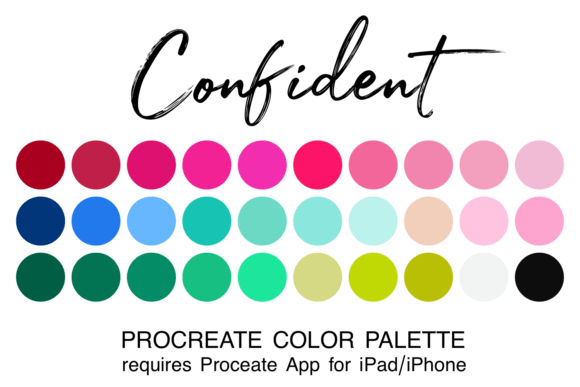
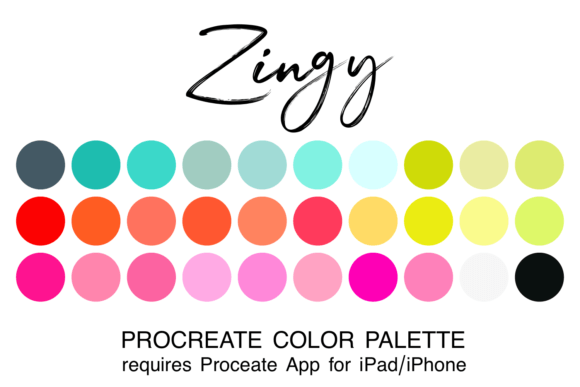
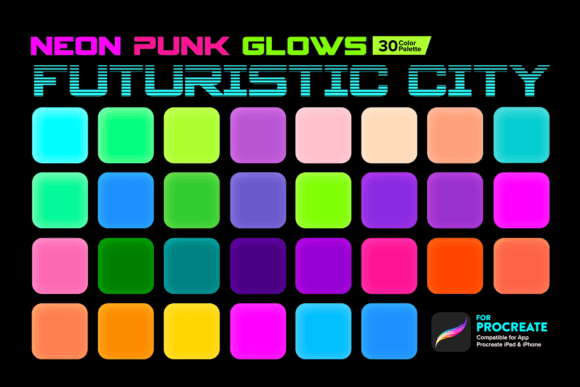
In the world of digital art, color is more than just pigment—it's energy. The Neon Punk Glows Color Palette Procreate set is designed to capture that raw, electric energy. This curated collection features 30 swatches that simulate the intense luminescence of neon tubes, cyberpunk cityscapes, and futuristic interfaces. It’s a toolkit built for the iPad artist who wants to move beyond standard hues and explore the spectrum of glowing, vibrant light. Whether you are a graphic designer, a social media manager, or a hobbyist looking to add some edge to your illustrations, understanding how to harness these specific color values is key to creating modern, eye-catching work.
Visual Characteristics and The "Punk" Aesthetic
When you open this Procreate Palette, the first thing you’ll notice is the saturation. These are not pastel or muted tones; they are high-voltage pigments designed to pop off the screen. The palette bridges the gap between the gritty aesthetic of 80s retro-wave and the sleek cleanliness of modern UI design. You will find a blend of scorching hot pinks, electric blues, toxic greens, and digital purples.
The "glow" aspect is achieved through specific value selection. In Procreate, these colors work exceptionally well when utilized with brushes that support blending modes like "Add" or "Glow." This allows the artist to create the illusion of light emission rather than just flat color. For a brand identity that needs to stand out in a crowded market—think esports teams, music festivals, or tech startups—this palette offers a visual language that screams innovation and energy.
Applying the Palette: From Digital to Print
While these Colors for Procreate are optimized for digital screens, their utility extends across various mediums. Here is how you can integrate the Neon Punk Glows into your workflow:
- Social Media Graphics: The algorithm loves contrast. Use these swatches to create thumb-stopping Instagram Stories or TikTok thumbnails. The high visibility ensures your text and focal points remain readable even on small mobile screens.
- Editorial Design: In magazine layouts or zines, a neon accent color can break the monotony of standard black-and-white typography. It adds a layer of contemporary edge to editorial design projects.
- Logo Design: While a solid neon fill might be too intense for a full logo, using these colors for gradients or outlines can make a logo design feel futuristic and dynamic.
- Packaging Design: If you are designing for a product aimed at Gen Z or Millennials—such as energy drinks, streetwear, or tech accessories—this palette communicates the right "vibe" instantly.
Strategic Color Pairing and Hierarchy
A common mistake with neon palettes is over-saturation. If everything glows, nothing stands out. To truly master the Neon Punk Glows Color Palette Procreate, you must treat these colors as accents rather than background noise.
Consider your visual hierarchy. A deep, matte charcoal or a near-black navy blue serves as the perfect canvas for these neon shades. By placing a toxic green or hot pink against a dark background, you maximize contrast and readability. This technique is essential for web design interfaces and dark-mode app layouts.
Furthermore, when working on brand consistency, pick one or two dominant colors from the 30 swatches and use the others sparingly for highlights or call-to-action buttons. This prevents the design from looking chaotic while maintaining the energetic personality of the palette.
Technical Workflow in Procreate
Using this Procreate Palette is straightforward, provided you follow the correct technical steps. As this is a digital asset, there is no physical shipping. After purchase, you must download the file using your iPad’s Safari browser—do not attempt to download via the Etsy app, as this often restricts file imports.
- Download: Access your purchase history in Safari and download the .swatches file.
- Import: Tap the file. Procreate should automatically recognize the file extension and open the app, importing the palette directly into your "Palettes" tab.
- Manual Import: If the automatic process fails, open Procreate, go to the Color panel, select "Palettes," and choose "Import." Navigate to your "Downloads" folder and select the file.
Remember, these Design Assets are optimized for the Apple Pencil and the iPad’s display. The interaction of the pencil pressure with the specific color values creates a unique texture that mimics light painting.
Enhancing Brand Perception
Color psychology plays a massive role in how an audience perceives a brand. The Neon Punk Glows palette communicates specific traits: innovation, rebellion, energy, and modernity. If you are a content creator or entrepreneur launching a new product, using these colors can position your brand as cutting-edge.
However, context matters. This palette is ideal for creative fonts and bold headlines but may be difficult to read in long-form body text. Use them for headers, icons, and graphic elements, but switch to a clean sans serif font in white or light grey for paragraphs. This contrast ensures your design is not only stylish but also functional and accessible.
Ultimately, the Neon Punk Glows Color Palette Procreate is a versatile tool for the modern digital artist. It allows you to experiment with light, shadow, and energy in a way that flat color simply cannot achieve. By integrating these swatches into your toolkit, you are equipping yourself to create visuals that are vibrant, memorable, and professionally polished. Whether you are designing a podcast cover, a YouTube banner, or a print-on-demand